
Describe the form.Pixl Forms builds the rest.
Type what you need in plain English, or upload the PDF you use today. Pixl Forms writes the questions, designs the branching, checks every path, styles the form to your brand and puts it on your website with one line of code. You approve each step. Every response lands in the right inbox the moment it arrives.
Built by Pixl Events, a live-events agency. Running real client forms in production since November 2025.
From one sentence to a live, branching form
The exact walkthrough behind every screenshot on this page: one prompt for a convention panel form, then branching, a check of every path, a design and the embed. Under an hour end to end. Scroll to build it.
Demonstration form, fictional event
It writes the questions
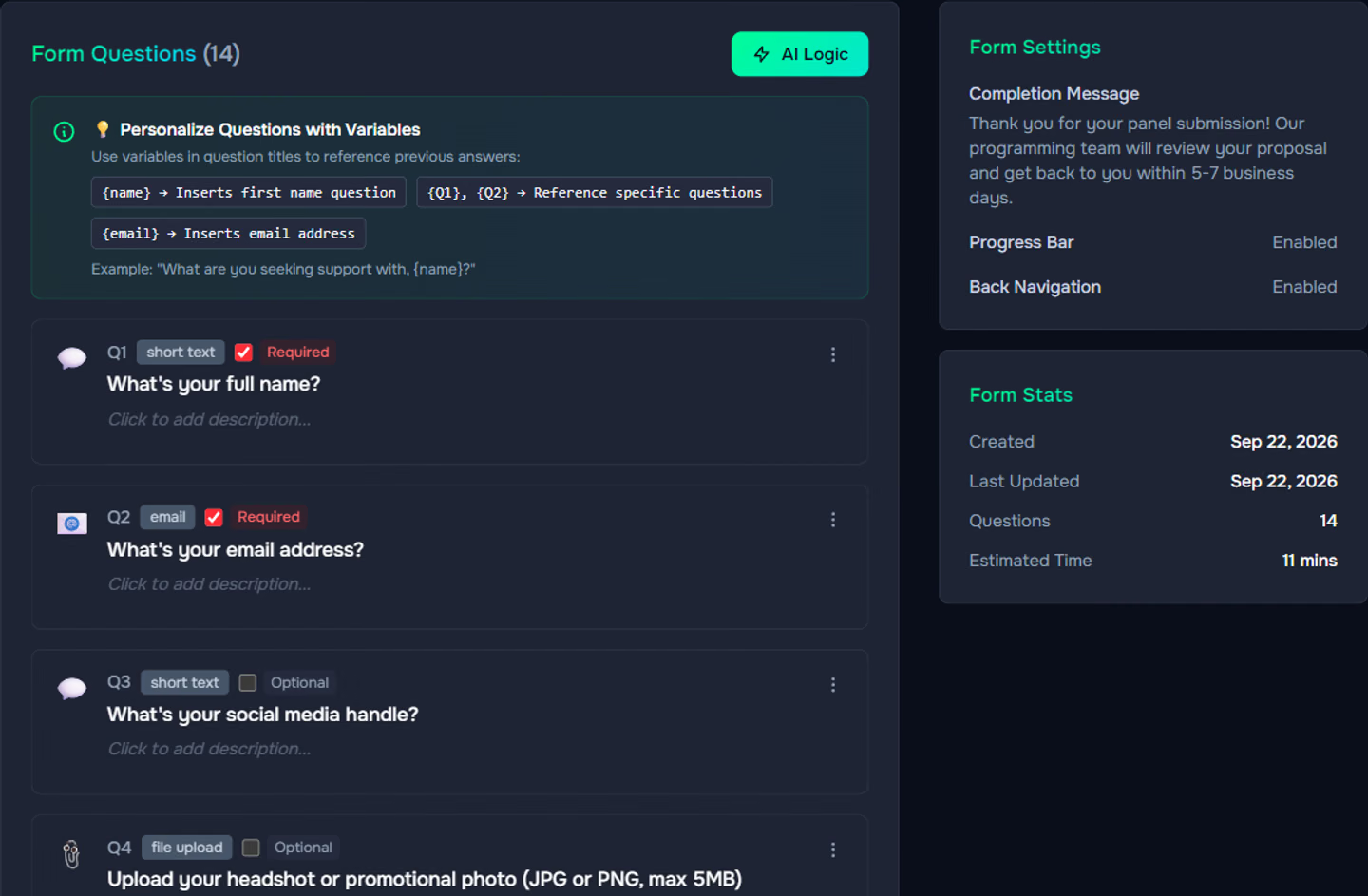
Fourteen questions in about a minute, typed for each answer, required or optional, in a sensible order.
It designs the branching
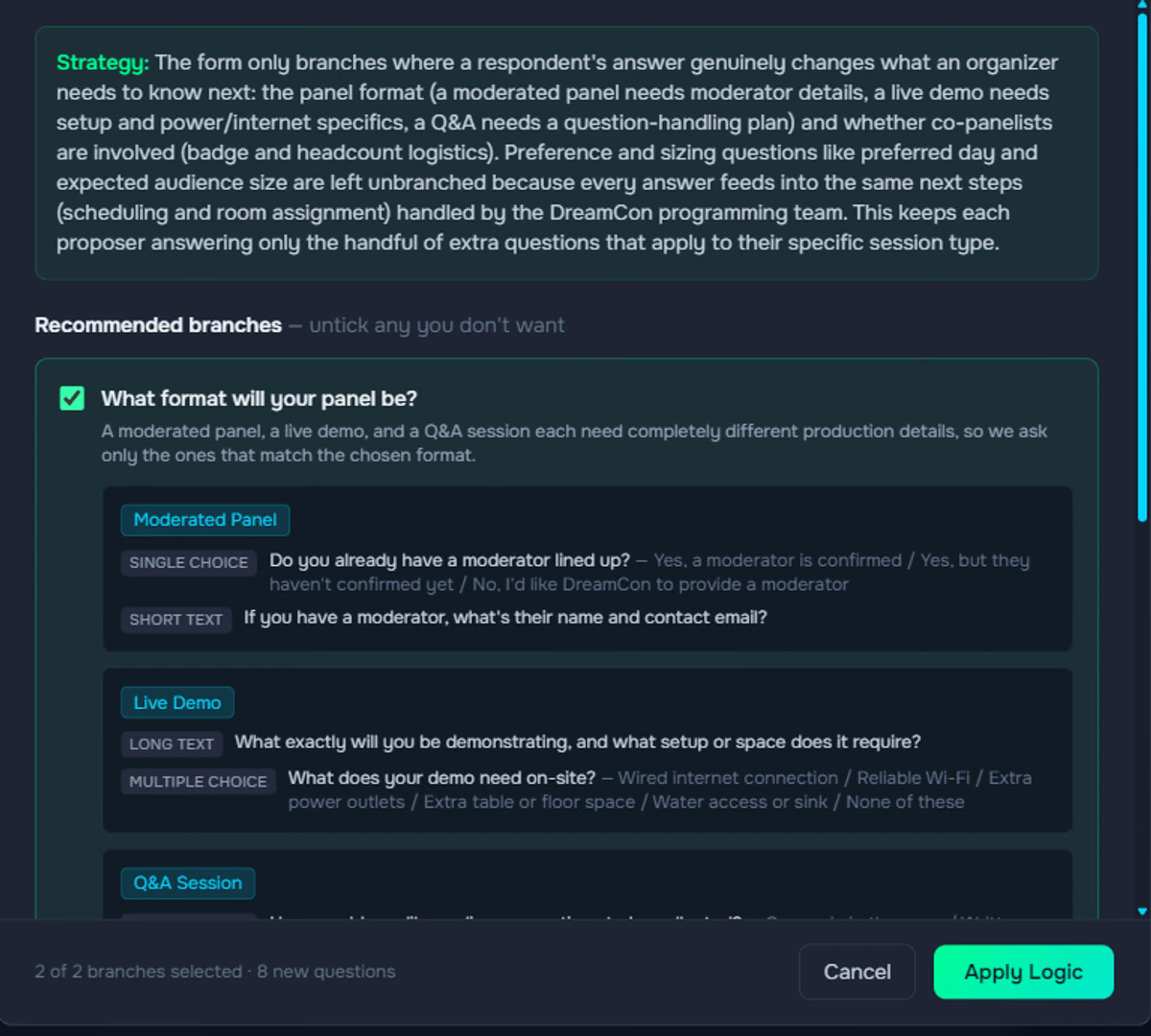
Two questions deserve different follow-ups. It writes eight of them, routes every path back, and explains why the rest don't branch.
It checks every path
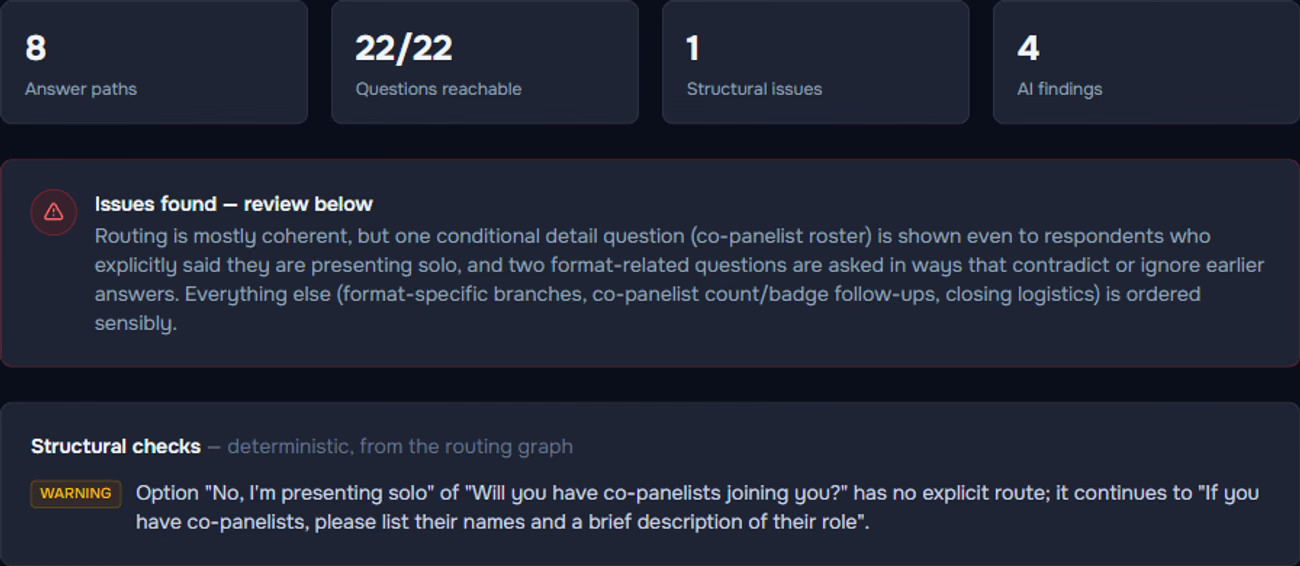
Eight routes simulated, all 22 questions reachable, and one real catch: a co-panelist question shown to solo speakers.
It matches the brand
One sentence of design direction: deep indigo, violet outlines, a gold Next button, a neon progress bar.
It goes live
One line of code on the convention's website. Change anything later and every embed updates.
Fourteen questions from one description, opened in the editor as a draft you can change anywhere
Click any title or option to edit it in place. Change a type from a dropdown. Add a follow-up with one click. Six starter categories steer the result; upload an old PDF, Word document or screenshot instead and it comes back rebuilt.

Retire the printable PDF
Upload the four-page questionnaire you have emailed people for years, as a PDF, a Word document, a screenshot or a photo. Pixl Forms reads it and rebuilds it as a one-question-at-a-time form that keeps the original intent. Nothing retyped.
Only the questions that apply
One click reads the whole form and decides where different answers genuinely need different follow-ups, and where they don't. It writes those follow-ups, routes every path back to the main form, and shows you its plan with a reason for each recommendation before anything changes. You tick or untick, then apply.
Every path checked before launch
One click simulates every possible route through the form with the exact routing rules of the live form and proves there are no dead ends, loops or unreachable questions. Then it reads each route the way a respondent would and flags anything that would feel wrong, with a suggested fix. Findings are advisory; you decide what to change.
A flow chart anyone can read
Every form has a visual map: each question is a card with its type and whether it is required, gray lines show the default order, colored lines show where each answer leads. Drag a handle to change a route. Export the whole chart as one PDF page and review an intake with a client, a chef or a programming chair in minutes.
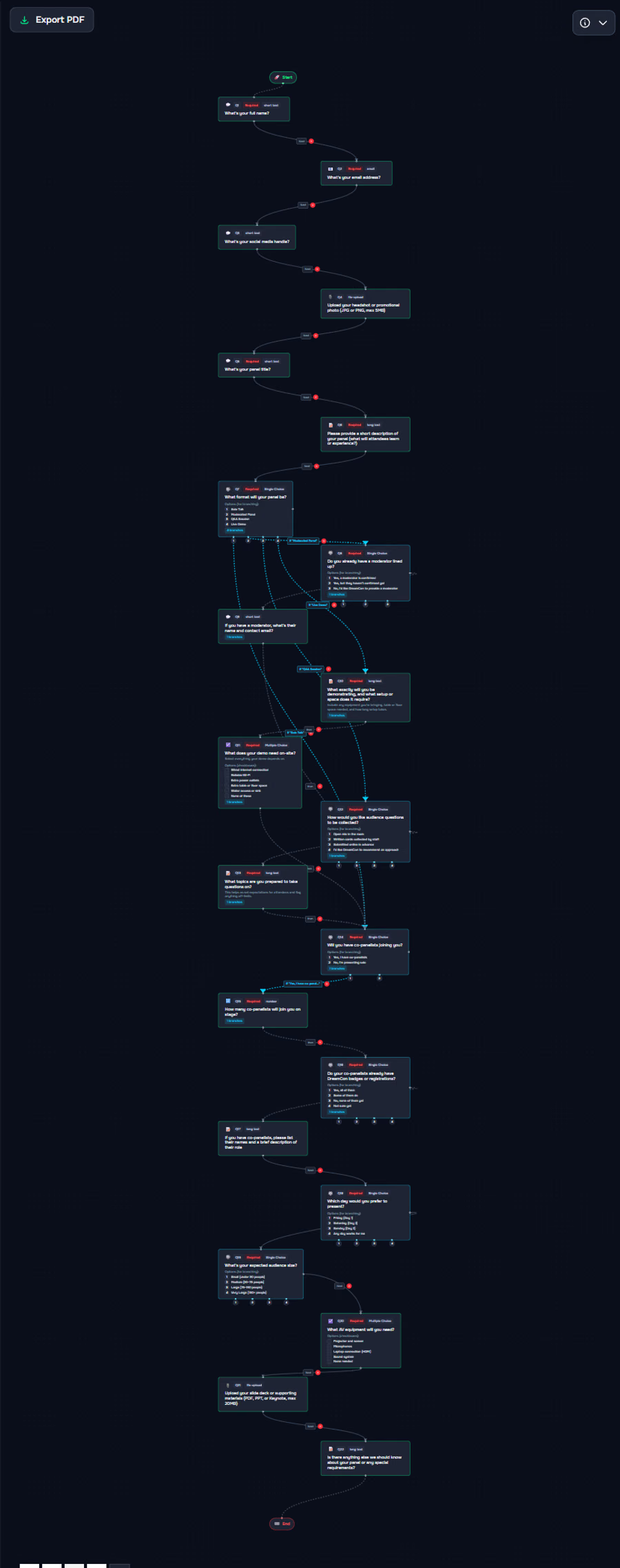
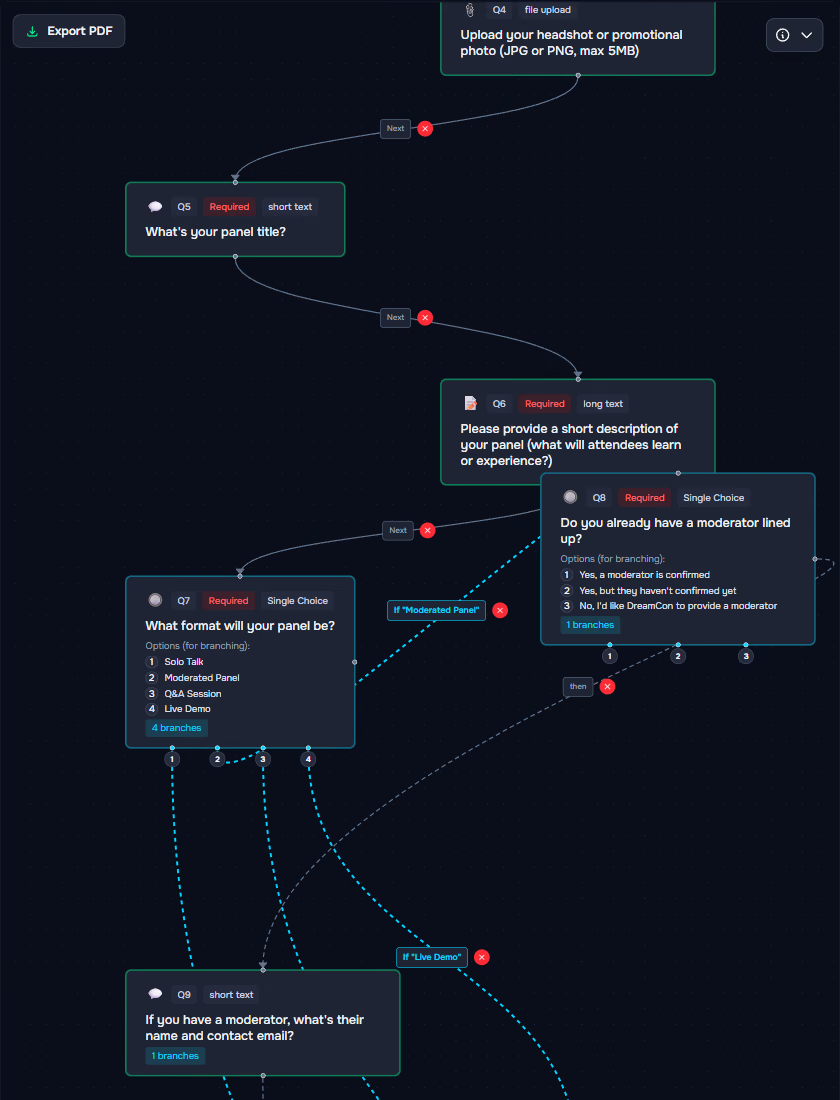
Numbered handles per answer, the branch labeled with the answer that opens it, and a "then" edge that brings everyone back to the main form.
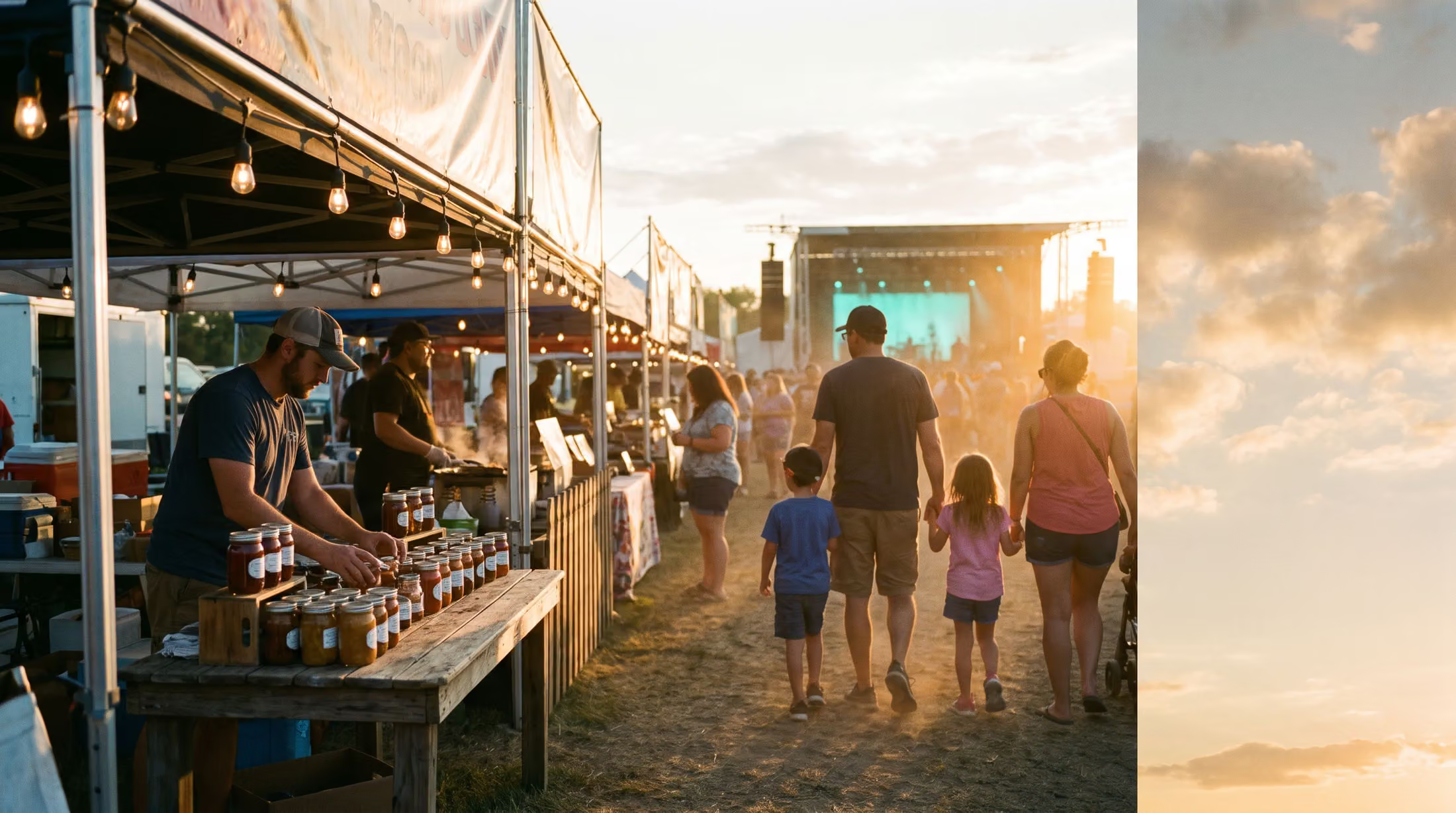
Made by people who run events
Panel and speaker submissions, vendor and exhibitor applications, private event inquiries, venue rentals, client intakes, guest surveys. Pixl Events built this for its own clients first, and the defaults, examples and question choices come from real venue, catering, convention and event-website work.
Your brand, not ours
Describe the look, or upload a screenshot of your website, and Pixl Forms designs every part of the form: background, cards, inputs, buttons, progress bar, welcome and thank-you screens. Then refine in conversation and it changes only what you asked. Save the result as a template for the next form.
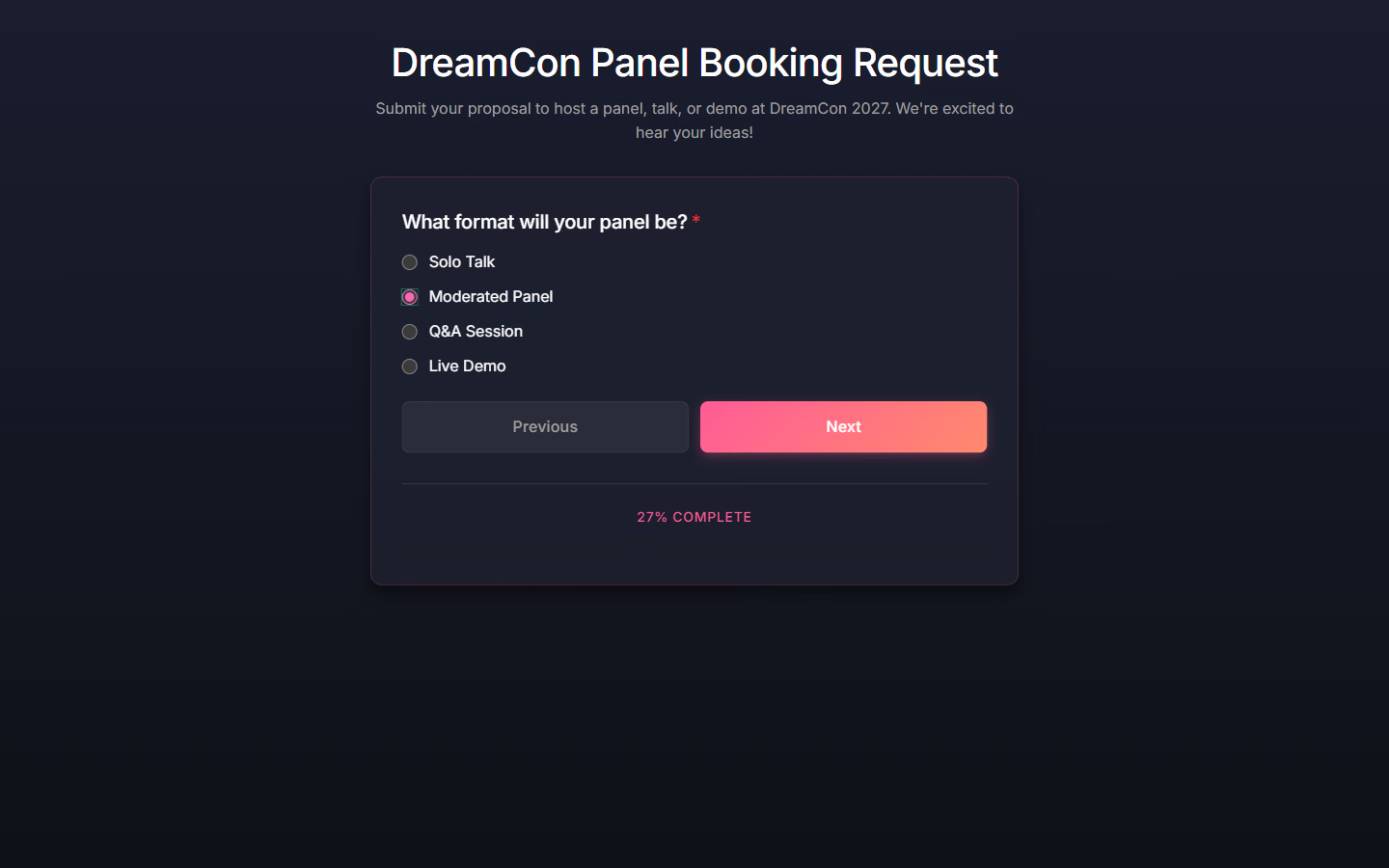
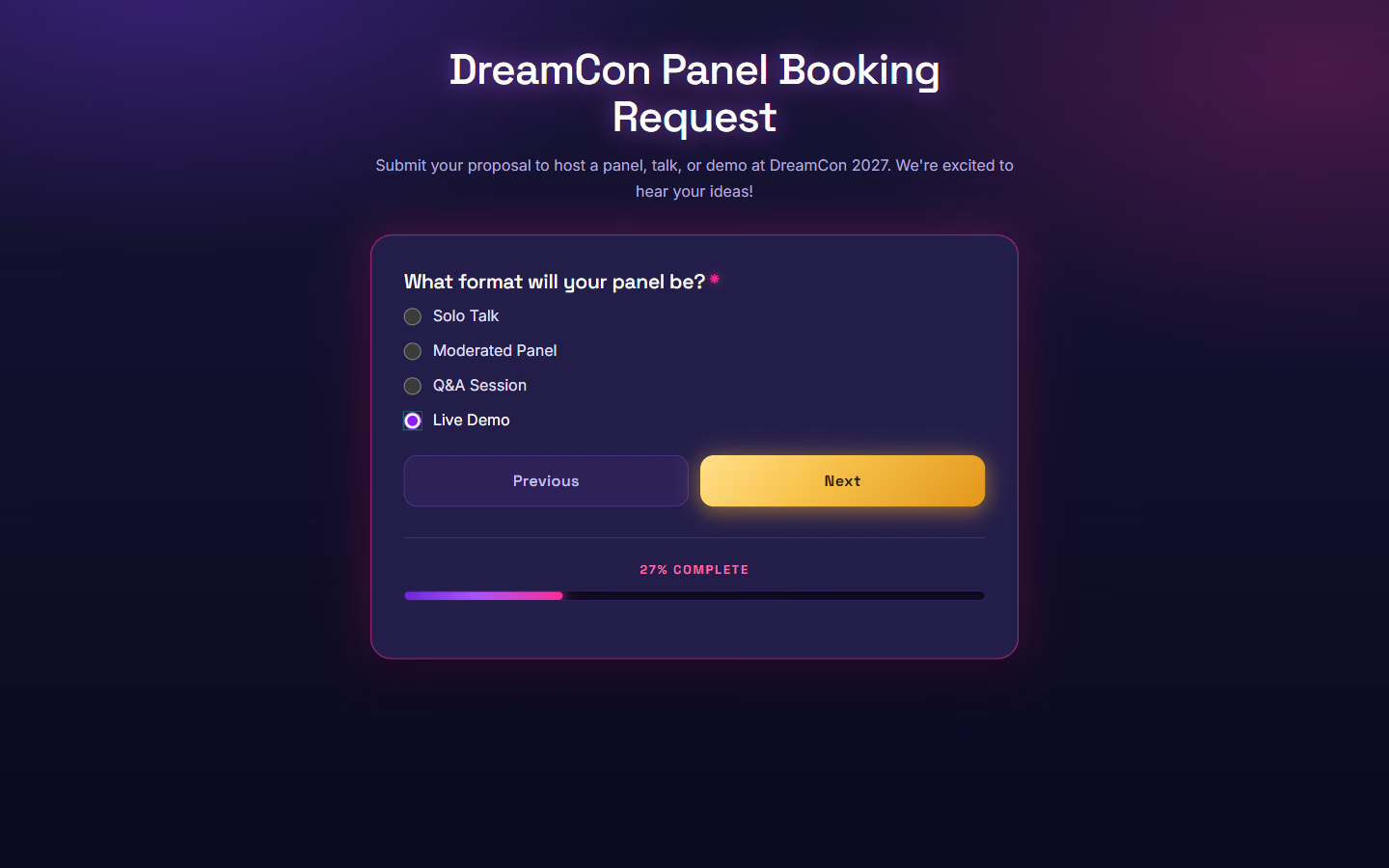
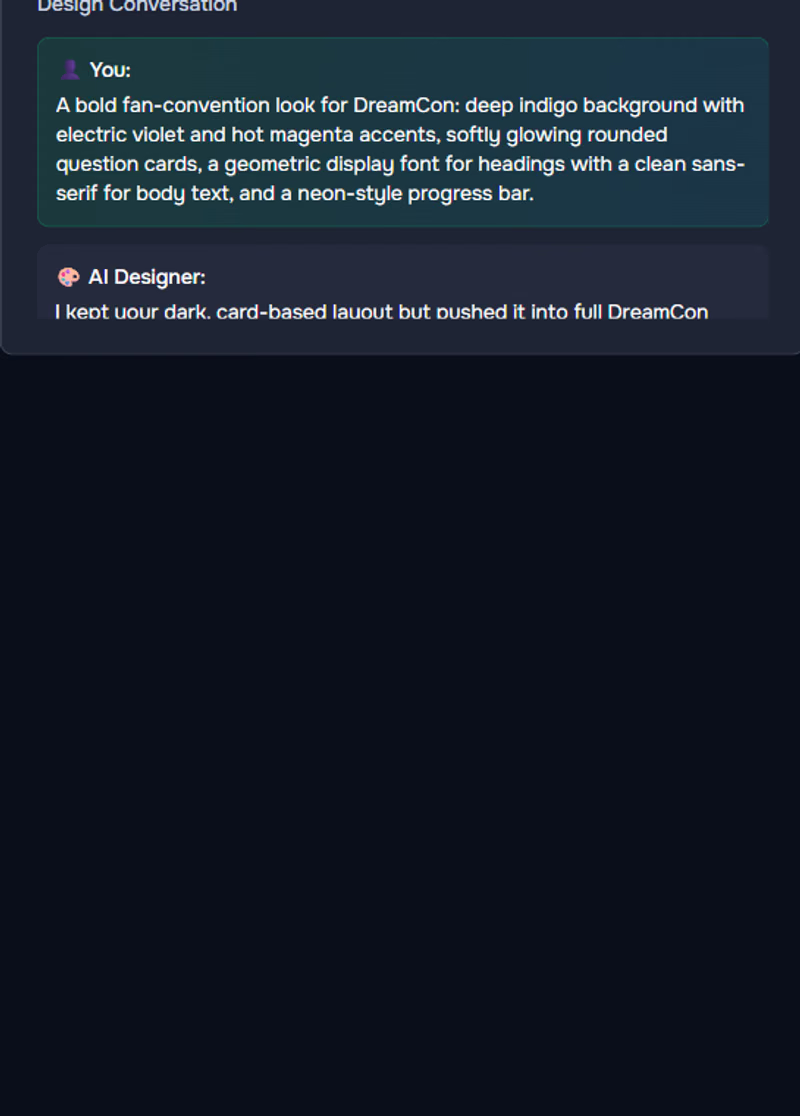
"Make the Next button a warm gold gradient and give the cards a thin violet outline." It changed exactly the button and the outline. A font library and saved templates sit beside the conversation.
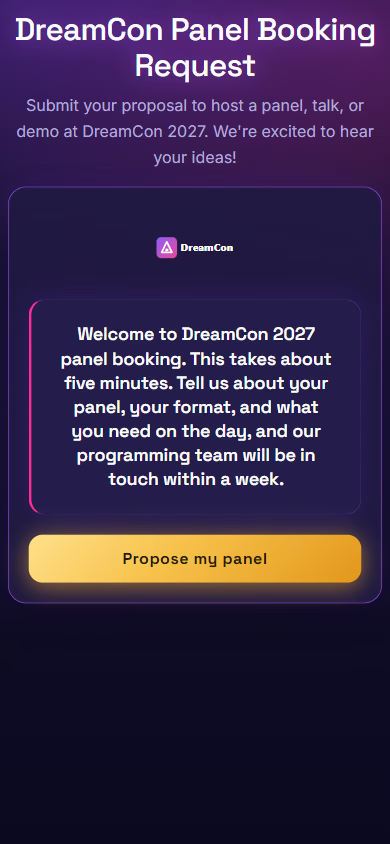
Welcome screen, your logo
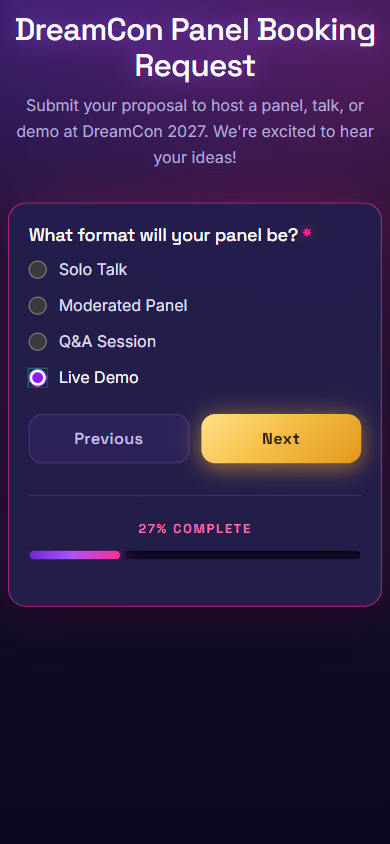
One question at a time
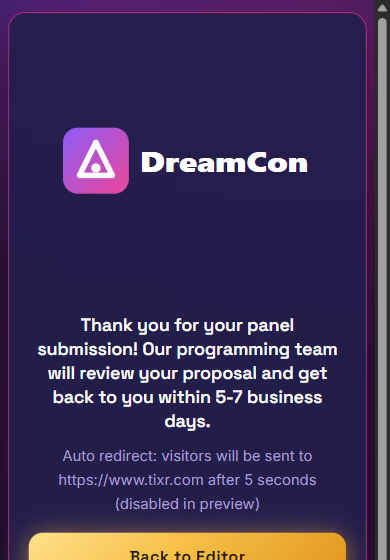
Thank-you, then a redirect
Built for phones first: spacing and type adjust so the welcome screen fits without scrolling, whatever design is applied.
Change it once, it updates everywhere
Edits to questions, design, welcome and thank-you screens and settings go live instantly on every website where the form is embedded. Nothing to re-copy.
Drafts until you publish
Forms stay drafts until you publish, and can be unpublished any time. The Publish area holds every presentation setting in one place.
Preview exactly what respondents see
Test the finished form end to end in the same design and routing, inside the editor or in its own tab. Nothing entered in preview is recorded.

Every response, the moment it arrives
Each completed form sends a notification with every question and answer formatted for reading, attached files listed, to the person you choose for that form: your programming lead, your events manager, your client. Every notification is logged.
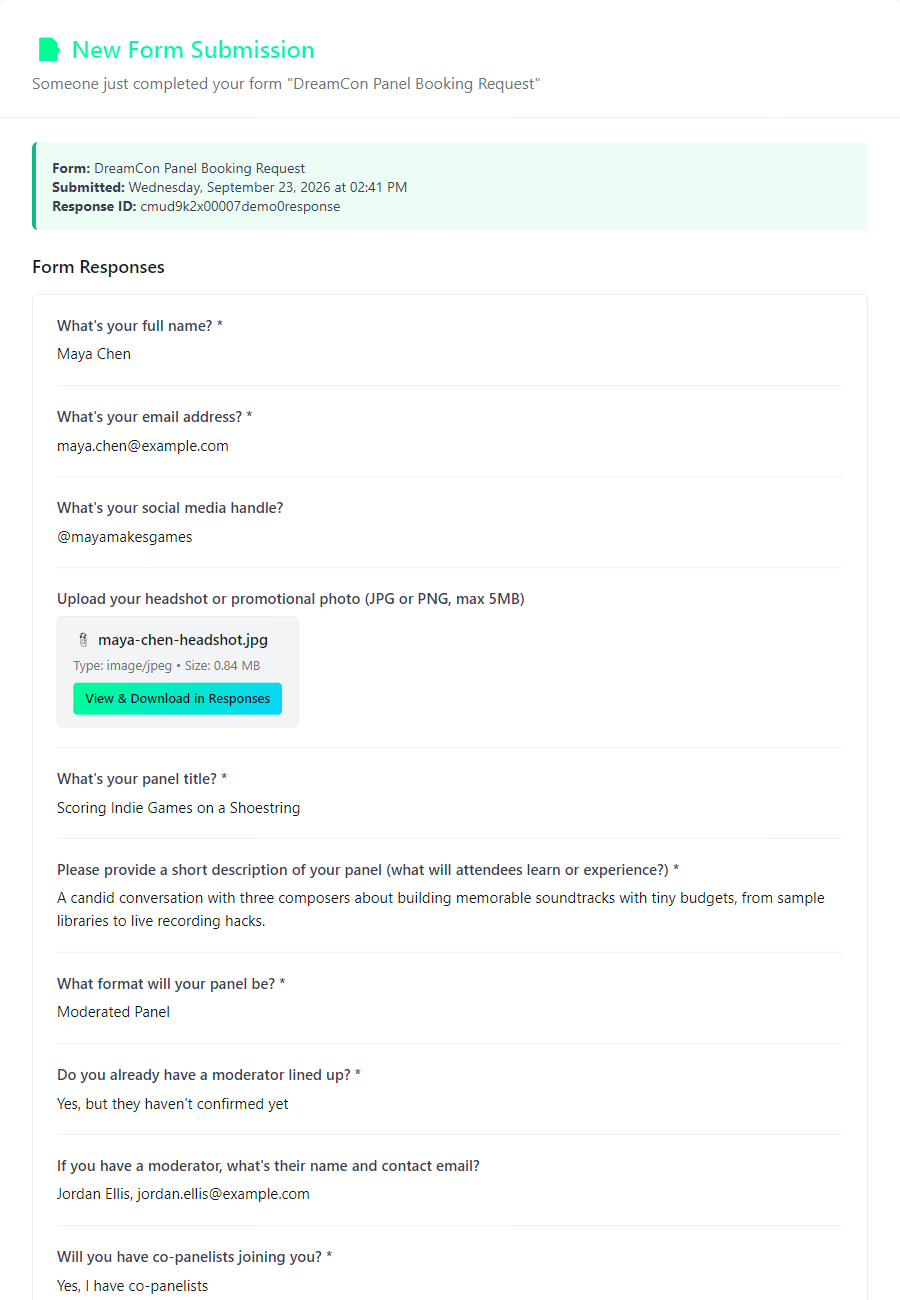
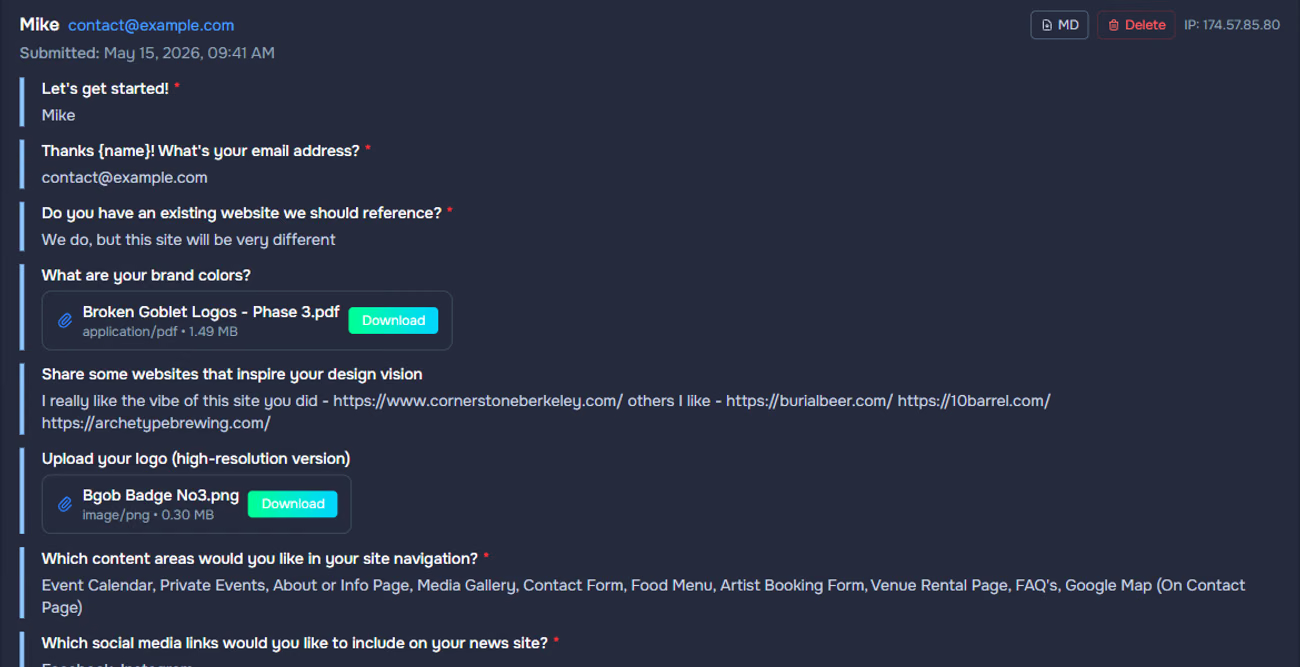
One place for every submission, with the files attached
Responses grouped by form with counts and last-submission dates. Open one to see every answer, download attached files, export the response as Markdown, or export the whole form as a CSV that opens in Excel and Google Sheets. The person who receives a form's notifications can sign in and see that form's responses, read-only.
The form collects. The ticket is always bought on Tixr.
Pixl Forms does not sell tickets, take payments or touch your Tixr account. Where a form leads to a purchase, the thank-you screen sends the respondent to your Tixr event page after a visible countdown.
Your website, with the form
A group-booking or VIP inquiry, one question at a time, in your brand.
Thank-you screen with a countdown
Your logo, your message, and "sending you to tickets in 5 seconds".
Your Tixr event page
Every purchase happens on Tixr checkout. Nothing about your ticketing changes.
Your forms, your responses, your call
Encrypted, isolated
Hosted on Vercel and Amazon Cloud in the United States over HTTPS, with the database encrypted at rest. Every form, response and setting belongs to one account and every request is checked against it.
Passwords never stored
Email and password, or a one-time sign-in link. Passwords are kept only as a one-way hash, and sessions use signed, encrypted tokens.
You own the data
Export every form's responses at any time as CSV or Markdown. Delete individual responses, test data or whole forms whenever you need to.
Answers never go to AI
Respondents' answers are not sent to any AI. Only the form's own content, the questions and design requests, is processed when you build or check a form.

Commonly asked questions
What is Pixl Forms?
Pixl Forms is an online form builder that creates conversational forms, the kind that ask one question at a time, from a plain-English description. It writes the questions, designs the branching logic, checks every path, styles the form to match your brand, and sends you every response by email and to a dashboard. It is built for conventions, venues, event producers, planners and hospitality businesses.
How is Pixl Forms different from Typeform?
Both create one-question-at-a-time forms. In Typeform-class tools you build each question and wire every branch yourself. Pixl Forms generates the form, proposes the branching with its reasoning for you to approve, checks every path before launch, and matches your website's design from a screenshot.
Can AI really build my form's logic?
Yes, with you in control. It reads the whole form, proposes where different answers should get different follow-ups, writes those follow-ups, and explains each decision. Nothing changes until you approve, and Logic QC then checks every possible path.
What if the AI gets something wrong?
You see and approve every branch before it is applied, and Logic QC simulates every route and flags anything a respondent would find confusing. In our own testing it caught a follow-up question that would have been shown to the wrong people.
Can I turn my existing PDF or Word form into an online form?
Yes. Upload a PDF, Word document, screenshot or photo of your current form and Pixl Forms rebuilds it as a modern conversational form you can edit and design.
Will the form match my website?
Yes. Describe the look you want or upload a screenshot of your site, and Pixl Forms designs the whole form in your colors and style. Refine it in plain English, add your logo to the welcome and thank-you screens, and make the background transparent so it sits directly on your page.
How do I add a form to my website?
Copy one line of embed code and paste it into your site. It works with Webflow, WordPress, Squarespace, Wix, Shopify and custom websites. Any changes you make later update on your site automatically.
Can Pixl Forms sell tickets or take payments?
No, and it does not try to. Ticket sales and payments belong on your ticketing platform. A form's thank-you screen can send people straight to your Tixr event page, so every purchase happens on Tixr checkout.
Who gets notified when someone submits?
Whoever you choose for each form, such as your programming lead or a client. They receive an email with every answer formatted for reading and can sign in to view and export that form's responses.
Can respondents upload files?
Yes. Images, PDFs and Word documents up to 10MB each. Files arrive with the submission and download from the dashboard.
How long does it take to build a form?
A complete draft in about a minute. Branching, design and a final check usually take well under an hour, and the form can be live the same day.
Who owns the data collected by my forms?
You do. Export every form's responses at any time as CSV or Markdown, and delete responses whenever you need to.
Are my respondents' answers used to train AI?
Respondents' answers are not sent to AI at all. Only the form's own content, such as questions and design requests, is processed by AI when you build or check a form.
Can I change a form after it is live?
Yes. Edits to questions, design and settings update every embedded copy instantly with no new code to paste.
How much does Pixl Forms cost?
Pricing has not been announced. Pixl Forms is in invite-only early access; request access to discuss your needs.
How do I get access?
Request access from this page with a few details about your business. The Pixl Events team reviews every request personally.

Describe your first form
Pixl Forms is invite-only while it grows. Tell us a little about your business and the Pixl Events team reviews every request personally.